One purchase, unlimited devices · macOS 14 or later · English and Simplified Chinese · No account, nothing uploaded
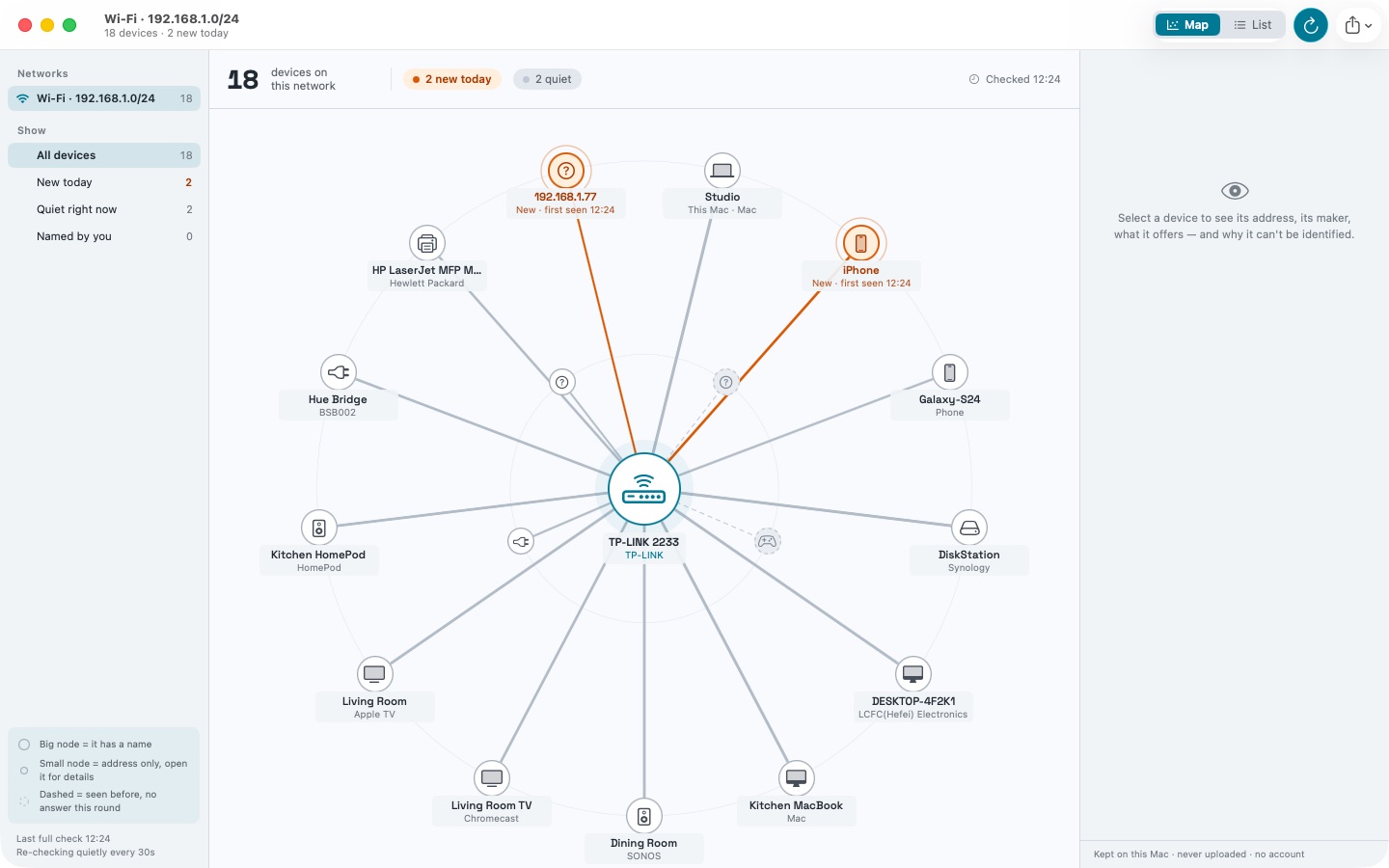
A map of your network: the router in the middle, every device around it.
Census lists the devices on your Wi‑Fi or Ethernet — name, model, maker, IP address, and when each one first showed up — in a single window. Anything this Mac has never seen before gets a NEW badge. And when a device can't be identified, Census tells you why instead of printing “unknown”.
What you see
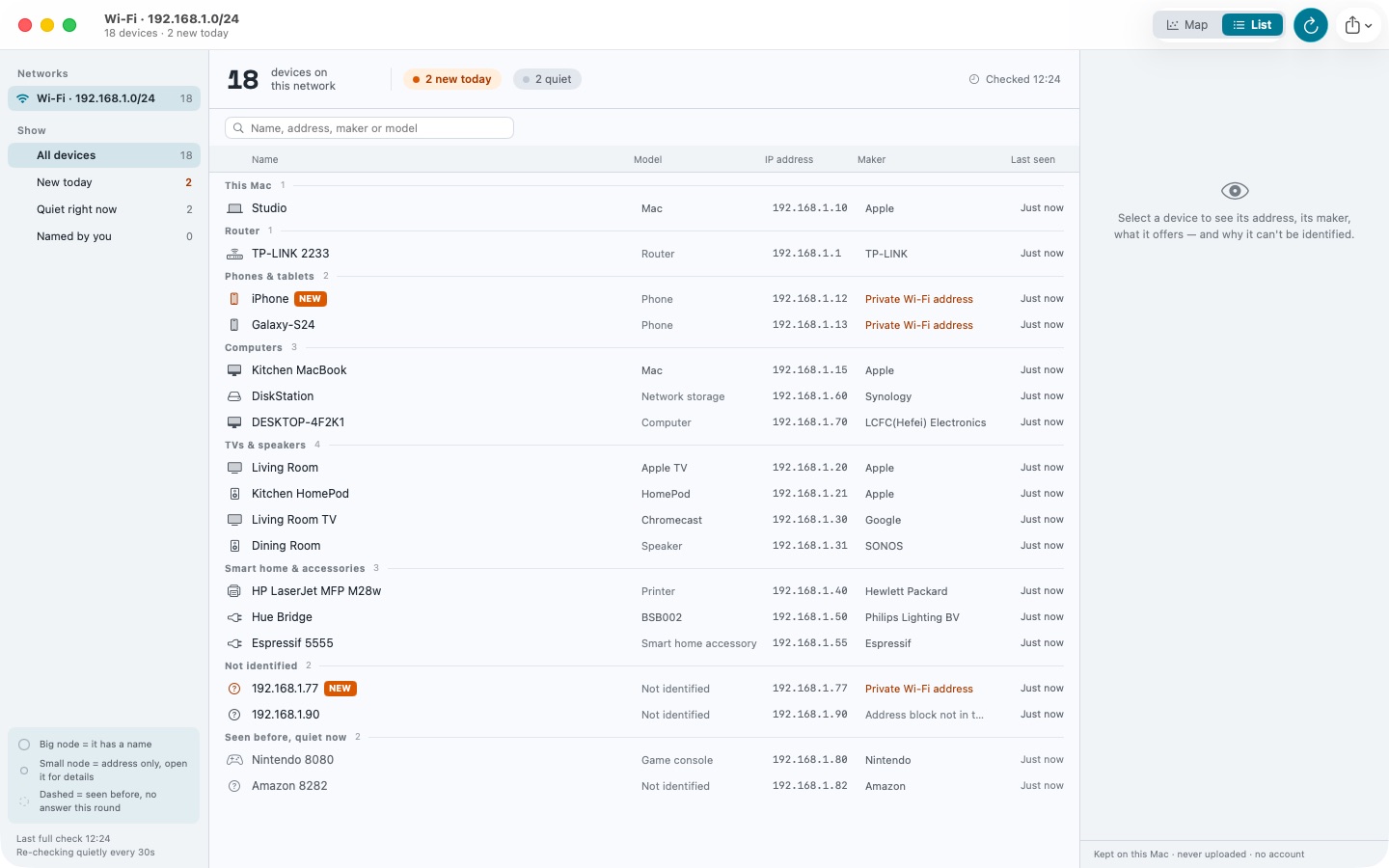
A map of the network, or a plain list grouped by kind — phones and tablets, computers, TVs and speakers, smart home accessories, and the ones that only left a trace.
For every device: its name, the model it reports, the maker of its hardware address, its IP, what it offers (web page for settings, file sharing, screen sharing, printing), and when it was first and last seen.
A badge on anything new, with the time it appeared. Mark a device as known and it stops counting as new.
Your own name for any device. Names and history stay on this Mac.
A quiet re-check every 30 seconds, and a notification when something new joins.
What it doesn't do
No account, no sign-in, nothing in the cloud. History and the names you give devices stay on this Mac.
Nothing is uploaded, ever. The hardware-maker table ships inside the app and is never fetched at runtime.
No ads, no subscription, no “free version” with the device list cut short. One purchase, unlimited devices, unlimited checks.
No Wi‑Fi signal or channel analysis — so Census never asks for your location.
Anything this Mac has never seen before gets a NEW badge, with the time it appeared.
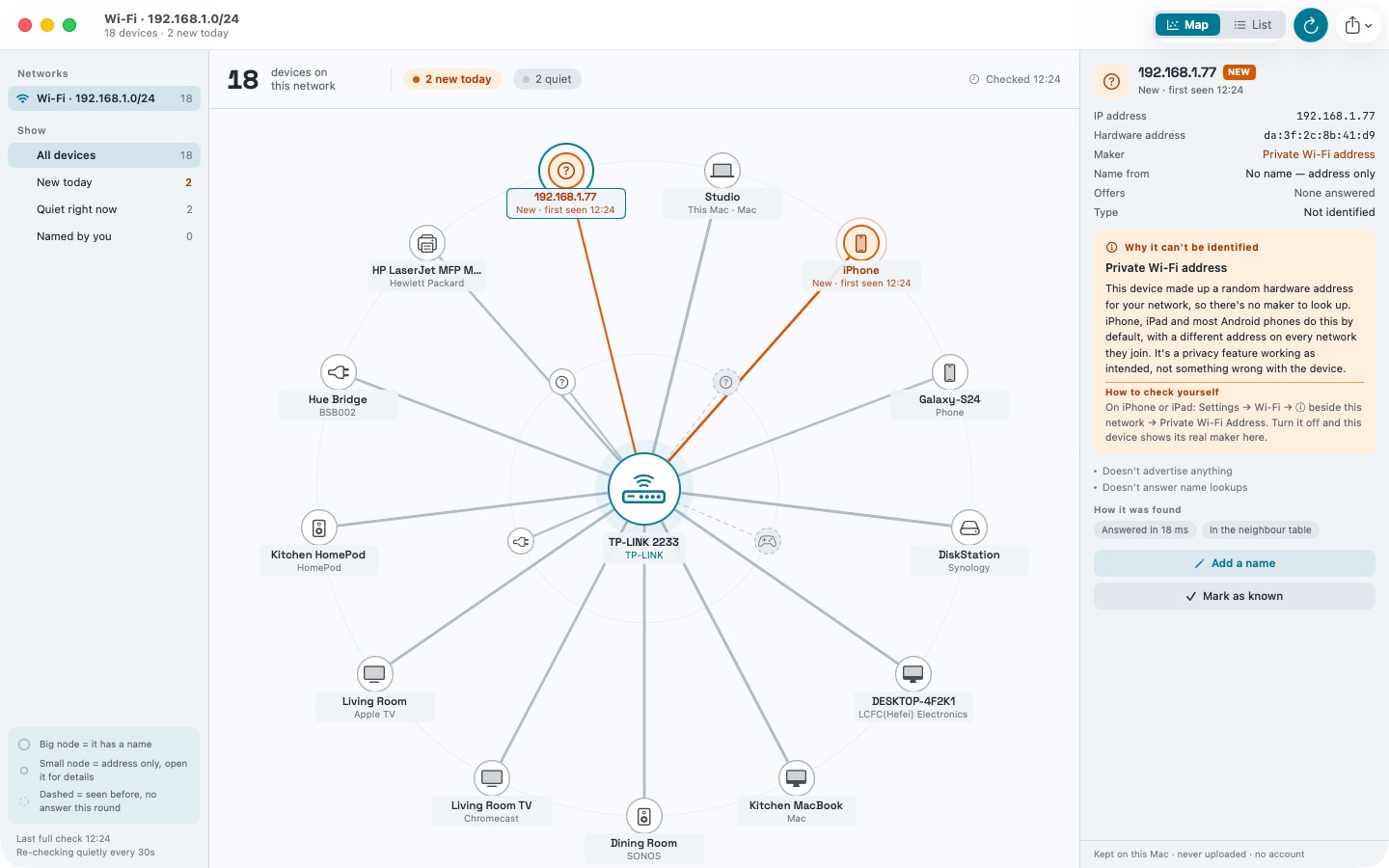
Why a device can't be identified
This is the part other scanners leave blank. Census explains each case in plain words, and tells you how to check for yourself:
Private Wi‑Fi address — phones make up a random hardware address for every network they join. That's a privacy feature working as intended, not a fault.
The device doesn't answer name lookups, or doesn't advertise anything about itself.
Seen recently, quiet right now — a sleeping laptop, phone or smart plug looks exactly like this.
This network keeps devices apart — guest networks and hotel Wi‑Fi often do, and no app can look past that.
The same network as a list, grouped by kind.
Honest limits
No app can find a device that is asleep, one that is set to ignore these checks, or anything hidden by client isolation on a guest network. Census says so when that is what happened, instead of quietly showing you a short list.